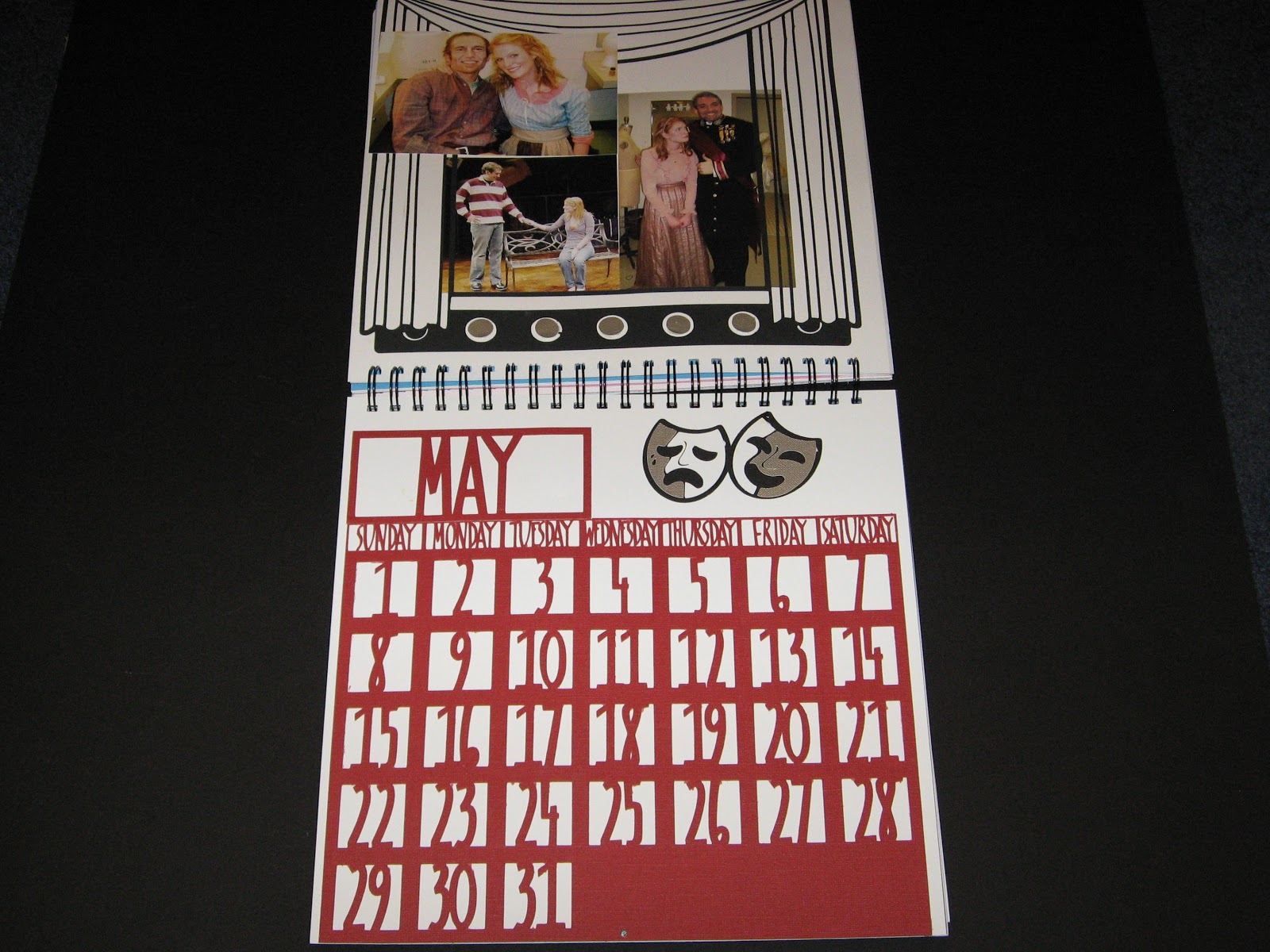
I have given away my first large present of the year. I made a calendar using Designer's Calendar. In the past I have used one of those programs to make calendars for my family and friends. You know the ones, it seems everyone in the world offers them. I made mine with Costco but Snapfish and RitzPix and everyone else out there offers them. My frustration with those calendars is they force you into one of their boxes. You get a template (maybe a couple) and you must fit your pictures into that template. Often times I don't want the entire pictures (I never said I was a great photographer, many of my pictures seem to be off center). Or, I will want a vertical picture with two horizontal pictures and that isn't an option with them.
When I first saw Designer's Calendar I knew I wanted it. I love the idea of making calendars, they are practical and allow me to display photos.
This cart has some neat features. It has four fonts (base, script, boxed, circled) and it has a ton of word art (although it seems to be a little American centric -- Columbus Day is one of the pieces of word art). Because I knew I was going to be cutting out 12 months worth of calendars, I didn't want to mess with each and every day needing to be laid out separate. Therefore, I used the boxed numbers, months and days and welded them all together. By doing this, I was able to make a "lace" out of the calendar which I then glued to another piece of cardstock.
Here is the way it looked in Design Studio. The months are all the same length, I used the same days and copied them to the next month, then I only needed to make certain I started the month on the correct day (and remember which ones have 30 or 31 days).
As you can see, I have hidden the outside of the box going around each number. The box is blue, not black like the number. My only frustration with this project came when I wanted to save the calendar. Because I only hid one contour (the outside of the box) I couldn't save it. Each time I want to cut one of these, I need to go back and hide the appropriate contours. I tried hiding two contours and copying each number over top of itself so I could hide two contours on each (thus making it possible to save the hidden parts). On the first two pages where I tried this, it randomly cut different contours. It was frustrating enough (and I had so little time) that I quit with the idea that I'll go back and figure it out later.
 |
| The base cardstock is Core'dinations, the pattern paper is from a company called Gartner in Minnesota. |
 |
| The pattern paper is from DCWV's Animal Crackers and the base brown is from Cloud 9. |
Here are three of the months. I loved the way they looked using patterned paper and a solid paper. I used paper from more companies than I can name. The holly paper for December was from Paper Studio which comes with the coordinating cardstock. Paper Studio is sold by Hobby Lobby. I bought this stack in July of this year.
So far, all of the pictures look a bit plain. It wasn't all that way. Here are some of the other pages.
 |
| I used Core'dinations White Wash cardstock for the shamrocks. I then put them through my cuttlebug using the Divine Swirls and Dots folders. I didn't want too much on the page because of all the pictures but I needed something. |
I love this page. I'm not normally a fan of the pink but I think this came out nice. I created the strip of hearts in Design Studio using the Love Struck cart. The large valentine heart is from the same place. If you are a fan of Design Studio (as I am) I will warn you that the keyword search never finds any of the hearts on this cart. I don't know why but I have taken to using CricutSearch.com because of this problem, especially.
I used a K & Company stack for the patterned paper and Core'dinations for the embossed hearts. I also used buttons from JoAnn's to decorate the empty spot at the top. I used a technique from
Enfys at Going Buggy. If you haven't had a chance to check out her blog, I highly recommend it. She does some incredible inking and great cards, layouts etc.
Isn't this a fun page? I used Walk In My Garden for the flowers and then the other embellishments are from the very wonderful Creative Charms. I absolutely love their products. The butterflies, ribbon and jewels are all from Creative Charms. You can find them
here. I have some of their velvet poppies which are very elegant but I have so much trouble convincing myself to use them.
Here is a close-up of one of the butterflies, some of my stitching and the ribbon. I also inked the edge of the flower using my bic markers. I loved the effect it made by soaking into the paper in different ways.
The cardstock is Core'dinations White Wash and the pattern paper is the Basics from the Paper Studio. I am normally a huge fan of the Paper Studio but this stack was one of my worst purchases. None of the colors coordinate with ANYTHING. They are all just a little bit off. However, in this situation, I was able to use some of the blue.
The yellow cardstock is Core'dinations.
I know this page is a bit plain but I'm loving it none the less. Isn't the owl cute and he matches so nicely. The pattern paper is from KI Memories' Little Guy stack. I bought it at JoAnns. It just goes to show, you can find what you are looking for in some very odd places. The recipient of the calendar was in a sorority and their mascot was an owl so I added this little guy to this page.
It is a little plain but fun none the less. You can't tell from this photo but I embossed the frames using my cuttlebug and the damask folder. The sun and bee came from Create A Critter.
It is tough to see but the wings on the bee are made using the packaging from one of my carts. I embossed it using dots. I think I should have inked it also but I was starting to run out of time and energy.
Tomorrow, I'll show you more pages of this project. I have some really neat stuff to add but this is getting a bit long.